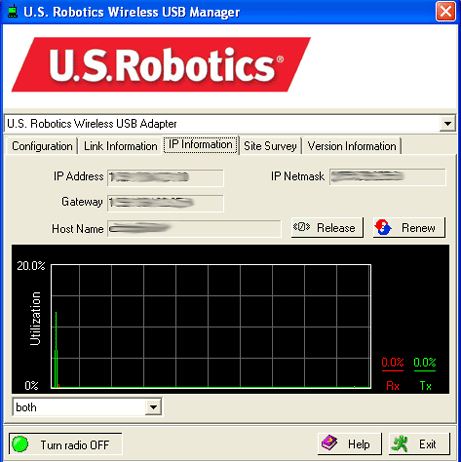
Click the IP Information tab to display addressing and naming information.
In this screen you can view the following information for your Wireless USB Adapter:
IP Address This is the address that is assigned to a client
on a network.
IP Netmask This is the address used to mask the internal IP
addresses of a network from anyone outside of the network. 255.255.255.0
is commonly used and is the binary equivalent of eight 0s.
Gateway This is the address assigned to a network device that
is used to access the Internet or another network.
Host Name This is the name of the computer that the Wireless USB Adapter is installed on.
Click Release to release the IP Address that has been
assigned to the Wireless USB Adapter. Click Renew to obtain
a new IP Address for the Wireless USB Adapter from a DHCP server.
A graph shows the flow of information between the Wireless USB Adapter and the wireless device. You can specify the information displayed in the graph. Incoming
(Receiving) shows only the information coming into the 802.11g 54Mbps
USB Adapter. Outgoing (Transmitting) shows only the information
going out from the 802.11g 54Mbps USB Adapter. Both shows the incoming
information and the outgoing information.